Free Fire Sensitivity Generator Find the Best Settings for Your Device
01 / Device setup
Tell us a little about your phone and how you play.
02 / Your sensitivity
Ready to testUse these as a starting point, not guaranteed best settings.
Finding the right sensitivity settings in Free Fire helps you improve aiming control and make drag shots feel more comfortable. Our FF Sensitivity Generator helps you to find suitable starting values based on your device and playing style. You also learn more about gameplay performance and other ways to improve your gaming experience.
Generate your recommended settings, test them in the game, and make small adjustments to find a setup that feels right for you.
How to Use the Free Fire Sensitivity Generator
Using the sensitivity generator is simple. You only need to enter a few details about your device and playing preferences.
Follow these steps:
You can also use the Regenerate option to create another profile using your selected device information.
Understanding Free Fire Sensitivity Settings
Free Fire includes different sensitivity controls for camera movement and aiming. Each setting serves a different purpose, so understanding them helps you adjust your gameplay more comfortably. Below we discuss some its settings:
General Sensitivity
General sensitivity controls overall camera movement when you look around without using a scope. It is particularly useful when tracking opponents and moving your aim quickly during close range encounters.
Red Dot Sensitivity
Red Dot sensitivity affects aiming while using a Red Dot sight. Adjusting this value helps you control your aim during short and medium range fights.
2x Scope Sensitivity
The 2x Scope setting controls aiming movement when using a 2x scope. A comfortable value helps you track moving enemies without making your aim feel too fast.
4x Scope Sensitivity
4x Scope sensitivity is useful for aiming at opponents from longer distances. Some players prefer lower values because they want more controlled movements while using higher magnification.
Sniper Scope Sensitivity
Sniper Scope sensitivity affects aiming through sniper scopes. A balanced setting help you make smaller adjustments when targeting distant opponents.
Free Look Sensitivity
Free Look controls how quickly you can look around your character without changing your movement direction. It helps you check your surroundings during gameplay.
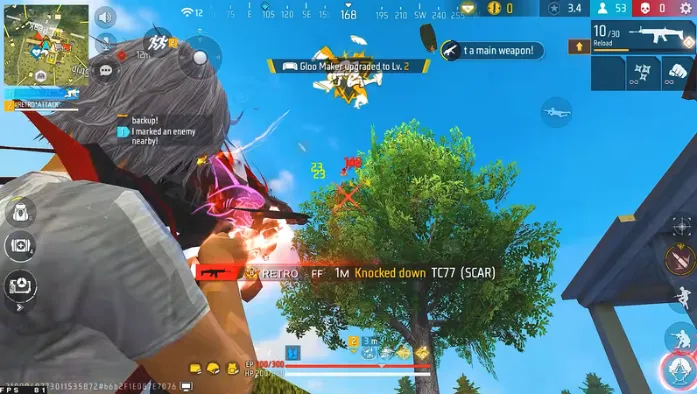
Best Free Fire Sensitivity Settings for Different Play Styles
Your preferred playing style influences which sensitivity combination feels comfortable. Our generator includes three profile options to help you explore different starting points. Below we discuss three play styles:
Balanced Play Style
Balanced settings are suitable for players who enjoy a mixture of close range and long range fights. This profile aims to provide a middle ground between quick camera movement and controlled aiming.
Rusher Play Style
Rusher settings are designed as a starting point for players who prefer aggressive gameplay and close range encounters. They can help you explore faster camera movement and more responsive aiming.
Precision Play Style
Precision settings offer controlled aiming for long range fights. Lower sensitivity may help with small aim adjustments. Test the suggested values and adjust them to your comfort.
Why Should You Use a Device Based Sensitivity Generator?
Different smartphones have different screen sizes, touch responses, and hardware, which affect how sensitivity settings feel. A device based generator helps you find suitable starting values without adjusting every setting manually.
Here are some reasons to use it:
The tool uses a rule based estimation method. It does not directly detect your phone’s hardware specifications or access Free Fire game data.
Tips to Improve Your Free Fire Aim
Generating sensitivity values is only the first step. You should also spend some time testing your settings and developing consistent aiming habits. Below we discuss some of its tips to improve free fire Aim :
Test Settings in Training Mode
After generating a profile, open the game’s Training Mode and practice with different weapons. Check whether your aim feels comfortable during normal movement and firing.
Change One Setting at a Time
Avoid changing all six sensitivity values whenever your aim feels uncomfortable. Adjust one setting gradually and test the result before making another change.
Find a Comfortable Fire Button Size
Your fire button size and placement affect your control over aiming and shooting. Experiment with different positions until you find a layout that feels natural.
Avoid Copying Every Pro Player Setting
Professional players often use different phones, screen sizes, and control layouts. Their sensitivity values might not feel comfortable on your device.
Practice Consistently
Good aim requires practice. Spend time tracking moving targets, controlling your crosshair, and learning how different weapons respond.
If you experience issues with Brutal panel, check our guide to common problems and fixes for possible solutions.
Frequently Asked Questions
Conclusion
Finding comfortable sensitivity settings is an important part of improving your Free Fire gameplay. Instead of copying random values from other players, use our Free Fire Sensitivity Generator to explore starting profiles based on your device and preferred play style.
Generate your settings, test them in Training Mode, and make small adjustments until you find a combination that works best for you. Consistent practice and comfortable controls matter more than any single sensitivity number.